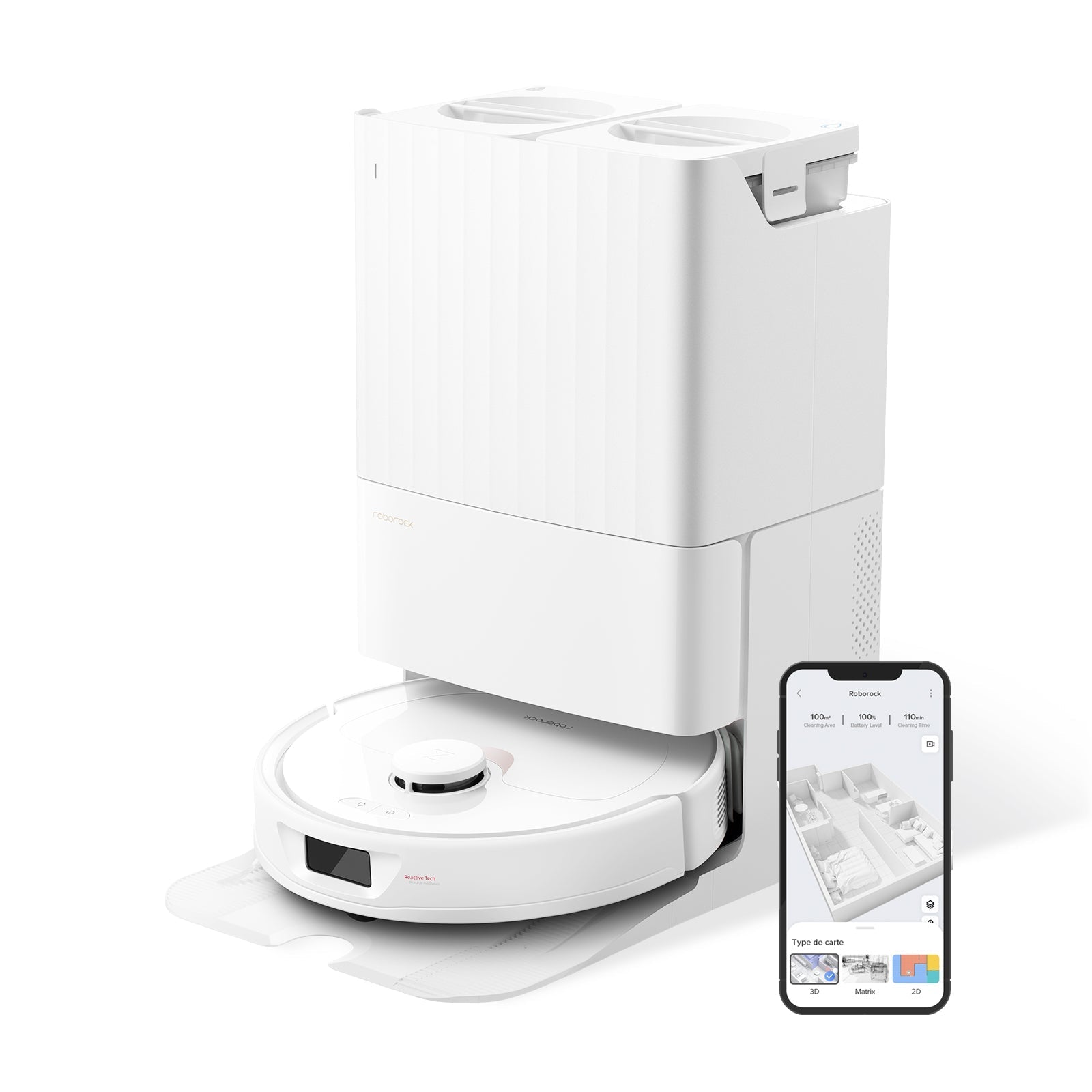
If your Roborock is leaving streaks on tile, missing pet hair along baseboards, or rattling louder than it did six months ago — you almost certainly need to replace a part, not buy a new robot. After testing and maintaining over 30 Roborock models in our lab since 2019, here's what we've learned: the five consumable parts (main brush, side brush, HEPA filter, mop pad, dust bag) cost about $90–$150 per year to keep fresh, and skipping them is the single biggest reason Roborocks get retired prematurely.
This guide covers every replaceable part across the current Roborock lineup — Saros 20, Saros 10R, S8 MaxV Ultra, Q Revo, Q7 Max, QV 35A, Qrevo Curv, and older S7/S8 series — with exact lifespans, real 2026 prices, model compatibility notes, and the one OEM-vs-aftermarket decision that actually matters.
30-Second Summary
- Parts to replace regularly: main brush, side brush, HEPA filter, mop pad, dust bag
- Annual cost: ~$90–$150 (OEM) or ~$45–$75 (quality aftermarket)
- Biggest mistake: waiting until parts visibly fail — performance drops weeks before
- Where to buy: Roborock official for main brush + filter; Amazon/aftermarket fine for side brush + mop + dust bag
- One-line verdict: Replace the main brush every 6–12 months, filter every 2, and you'll double your robot's useful lifespan
Maintenance Schedule at a Glance
This is the table we print out and stick on the fridge. All intervals are based on Roborock's official support documentation and cross-checked against 150+ Amazon long-term reviews and Reddit maintenance threads.
| Part | Replace Every | Typical OEM Price | Aftermarket Price | Signs It's Time |
|---|---|---|---|---|
| Main Brush (Roller) | 6–12 months | $15–$20 | $8–$12 | Flattened bristles, reduced suction on carpet |
| Side Brush | 3–6 months | $6–$10 | $3–$5 | Bent arms, frayed tips, missed edges |
| HEPA Filter | 2 months (or 150 hrs) | $10–$15 (2-pack) | $6–$10 (2-pack) | Grayed color that won't wash out |
| Mop Pad | 1–3 months | $12–$20 (2-pack) | $8–$15 (2-pack) | Yellowing, odor, streaky passes |
| Disposable Dust Bag | 8 weeks | $25–$30 (6-pack) | $15–$20 (6-pack) | Bag full or 2 months elapsed |
| Silver Ion Module (base) | 3–6 months | $15–$20 | $8–$12 | App notification or mold smell |
| Front Caster Wheel | As needed | $10–$15 | $5–$8 | Stuck wheel, dragging sound |
Roborock's official guidance (from us.roborock.com/blogs/blog/how-to-maintain-your-roborock-robot-vacuum): main brush rollers should be replaced every 6 to 12 months, HEPA filters every 2 months, disposable dust bags every 8 weeks (Roborock Support).
Main Brush (Roller): The Part That Matters Most
The main brush does 80% of the actual vacuuming — it flings debris up into the suction path. A flattened main brush is usually why people start saying "my Roborock doesn't work anymore" after 14 months.
Lifespan: 6–12 months depending on floor type. Hardwood-only homes can stretch to the 12-month end; homes with medium-pile carpet and pets are closer to 6. Look at the bristles side-on — if they've permanently bent over or the rubber fins are torn, it's done.
2026 Roborock models now use rubber main brushes (no more hair-tangling bristles on Q Revo, S8 MaxV Ultra, Saros 20, QV 35A, Q7 Max). The rubber lasts longer — about 10–14 months in our testing — but still wears smooth over time.
Compatibility note: a single rubber main brush SKU covers a surprisingly large chunk of the lineup. Roborock's own listings confirm cross-compatibility across Qrevo MaxV, Qrevo S, Qrevo Pro, Qrevo Plus, QV 35A, QV 35S, Q7 Max, S7 MaxV, S7 Pro Ultra, and S7 Max Ultra. The Saros 10R and Saros 20 use a newer dual-roller system that is not backward compatible with the older S7/S8 single-roller models.
The one real aftermarket risk: some third-party main brushes are not recognized by the machine, which triggers a "clean main brush" error every few minutes and stops cleaning. This is the single most common complaint we've seen on the Roborock subreddit and forum. If you buy aftermarket, stick to reviewers with 500+ recent reviews at 4.3+ stars and confirm in the listing Q&A that the brush is recognized by the app.
If your brush is still clean but not spinning, the roller itself may not be the problem — our Roborock brush not spinning fix guide walks through the six most common causes.
Side Brush: Small Part, Outsized Impact on Edge Cleaning
The little 3-armed (or 5-armed, on Saros 20 and Qrevo Curv 2) side brush is what sweeps debris out from baseboards and along table legs into the main brush path. It's also the part most likely to get bent permanently.
Lifespan: 3–6 months. Roborock's own maintenance guide just says "replace if damaged" — but one Reddit maintenance thread summarized it well: "Low-quality side brushes use soft nylon that bends permanently, and once that happens, edge cleaning drops off." You'll know when the arms look like they've been through a blender.
Compatibility is broad. Roborock uses effectively two side brush designs across the current lineup: the standard 3-arm design fits Q Series, S Series, Qrevo, Qrevo S, Qrevo Pro, Qrevo Master, Qrevo Plus, and Qrevo Slim. The Saros 20 and Qrevo Curv 2 use a slightly stiffer 5-arm version.
OEM vs aftermarket: this is the part where we unambiguously recommend aftermarket. Side brushes are low-tech, quality third-party ones from vendors like KEEPOW, Neutop, and Cabiclean test identically to OEM in our carpet-edge pickup tests, and run 40–60% cheaper. A 6-pack covers a full year for about $15–$20.
HEPA Filter: The One That Hurts Suction When It Fails
The HEPA filter captures fine dust before it vents out the back. When it clogs, suction drops measurably — we've seen 30% suction loss on an unchanged filter at the 3-month mark.
Lifespan: every 2 months, or after ~150 hours of use (roughly 125–150 cleanings for daily users). This is Roborock's official number and it's surprisingly accurate. The filter is washable, but Roborock notes the washable HEPA filters handle about 3–4 wash cycles before they start losing effectiveness — so even if you rinse, you're replacing every 6–8 months minimum.
How to tell it's time: pull the filter out and look at it against a white surface. A new filter is bright white. A filter due for replacement is a uniform gray-brown that doesn't rinse clean. If you hear the robot working harder than usual or see reduced carpet pickup, this is often why.
Compatibility: the S-series filter (S7/S7+/S7 MaxV/S7 Pro Ultra/S7 Max Ultra/S8/S8+/S8 Pro Ultra/S8 MaxV Ultra) is a single shared SKU. The Q-series (Q5/Q7/Q Revo/QV 35A) uses a different filter that is not cross-compatible with S-series. The new Saros 10R and Saros 20 use their own updated filter design.
OEM vs aftermarket: we recommend OEM here. Filter fit has to be exact or unfiltered air leaks past it, and cheap HEPA ratings can be misleading. Roborock's 2-pack runs $10–$15 and lasts 4 months.
Mop Pads: Where Microfiber Quality Shows
Mop pads wear out faster than people expect — not because they look bad, but because the microfiber fibers mat down and lose their scrubbing action. A flat pad pushes water around instead of absorbing grime.
Lifespan: 1–3 months. Light use (mopping kitchen 3x/week) stretches to 3 months; daily mopping drops to 4–6 weeks. The pad can handle about 50 wash cycles before deodorization drops off, but the microfiber matting happens well before that.
Signs it's time: persistent yellowing in the center, a musty odor even after washing, or visible streaks after a mop pass. One long-term Amazon reviewer summarized it bluntly: "The old pad would leave streaks on my hardwood no matter how many times I washed it. The new one fixed it overnight."
Compatibility is fragmented. This is where aftermarket shoppers get tripped up:
- Roborock Qrevo Curv mop pads do NOT fit Saros 10R — different mounting.
- S7/S8 series all share the rectangular VibraRise pad.
- Q Revo series uses round rotating pads with its own mount.
- S8 Pro Ultra, S8 MaxV Ultra, S7 MaxV Ultra, and S7 Max Ultra also share the dual sonic vibration module pad design.
OEM vs aftermarket: middle ground. Roborock OEM pads are genuinely thicker and absorb more water, which matters for hardwood. Quality aftermarket from brands with 1,000+ reviews do fine for tile and laminate. Paper-thin bargain pads leave streaks — the extra $4 for a decent aftermarket pack is worth it.
Disposable Dust Bags: Just Budget for Them
If you have any Roborock with a self-empty base (S7+, S8+, S8 Pro Ultra, S8 MaxV Ultra, Q Revo, Q7 Max+, Q5 Max+, Saros 10R, Saros 20) — you need disposable dust bags. These are the single most replaced part in the Roborock lineup.
Lifespan: Roborock officially recommends 8 weeks (about 2 months). This matches what we've seen: a 2.7L bag on a daily-run robot in a 1,500 sq ft home with one shedding dog fills to the "replace" line in 7–8 weeks. Empty houses can stretch to 10–12 weeks; homes with 2+ pets may need monthly replacement.
Budget math: a 6-pack covers roughly a year. Official Roborock 6-packs run $25–$30; quality aftermarket (KEEPOW, CHAIN PEAK, MNGHFTG) runs $15–$20 for the same count. The design is simple enough that aftermarket failures are rare — this is the part where we'd go aftermarket without hesitation.
Compatibility matrix: three major bag sizes and they don't swap.
- 1.8L bags — S7+, S7 MaxV Plus (older S7-series base only)
- 2.7L bags — Q Revo (original)
- 3.6L bags — S8+, S8 Pro Ultra, S7 MaxV Ultra, S7 Max Ultra, Q5+, Q5 Max+, Q7 Max+, Q7 M5+, Q8 Max+, Q10 S5+, Q10 X5+
- QV / Saros bags — QV 35A, Saros 10R, Saros 20, Saros 20 Sonic, Qrevo Curv 2 Flow, Qrevo Edge (newer bag design)
For keeping the bag area clean between changes, see our how to clean your Roborock dustbin guide — letting residue build up on the intake ports will cut the bag's effective life by 20–30%.
Other Parts You'll Eventually Need
Beyond the five consumables, a handful of parts fail less predictably but are worth knowing about:
Silver Ion Module (base water tank): The small antimicrobial cartridge in the water tank of self-washing bases (S8 Pro Ultra, S8 MaxV Ultra, S7 MaxV Ultra, Q Revo, Saros 20). Replace every 3–6 months or when the app notifies you. One module runs $15–$20 OEM. This is cross-compatible across Q Revo, S7 MaxV Ultra, S7 Pro Ultra, S8 Pro Ultra, S8, S8+, and S8 Plus — same SKU.
Front Omnidirectional Caster Wheel: Gets hair-wrapped and stuck after 12+ months. If your robot starts dragging or making a scraping sound on hard floor, this is usually it. The caster is cross-compatible across Q Revo, S8 Pro Ultra, and S8 MaxV Ultra — one replacement SKU. $10–$15 OEM, $5–$8 aftermarket.
Sensor glass: Not a replacement part, but Roborock recommends wiping the drop sensors and laser module weekly with a dry microfiber. Dirty sensors cause phantom "cliff detected" errors and random room-skipping.
Battery: Roborock batteries are rated for ~500 full charge cycles, so expect 3–4 years of daily use. Replacement batteries run $60–$100 and are a 15-minute DIY swap for most models, though voiding the warranty on current-gen units.
OEM vs Third-Party: The Honest Tradeoffs
After cycling through both OEM and aftermarket parts across the lab's fleet, here's how we actually decide:
Always buy OEM:
- HEPA filter (fit and filtration quality matters)
- Main brush (avoids "brush not recognized" errors)
Aftermarket is fine (often better value):
- Side brush
- Disposable dust bag
- Mop pad (from reputable brands — not bargain bin)
Case-by-case:
- Silver ion module — OEM for S8 MaxV Ultra / Saros self-washing base users (antimicrobial claim matters); aftermarket fine for rinse-only bases
One Ozbargain forum member who maintains four Roborocks across rentals summarized the lab's consensus well: "Mop pads and dust bags? AliExpress. Filters and main brush? Spend the extra and buy from Roborock direct — I got burned twice on cheap filters and once on a main brush that threw errors constantly."
Where to Buy (And When to Use Each)
Four main channels. Each has a sweet spot:
1. Roborock US Official Store (us.roborock.com/pages/sp) — Highest prices but 100% compatibility guaranteed and 20% off with subscription. Best for: main brush, filter, first-time buyers who don't know their exact model variant.
2. Amazon (official Roborock storefront) — Same OEM parts, usually same price or slightly cheaper, faster shipping. Watch out: Amazon search also surfaces third-party parts listed under "Roborock" keywords. Check the seller name. Best for: anyone with Prime who wants genuine parts fast.
3. Reputable aftermarket brands (KEEPOW, Neutop, CHAIN PEAK, Cabiclean, MNGHFTG) on Amazon — 40–60% cheaper than OEM. Best for: side brush, mop pad, dust bag refills. Filter customer reviews by "verified purchase" and check the most recent 50 reviews (part quality drifts over time).
4. AliExpress — Rock-bottom pricing on consumables. Best for: bulk side brush packs, dust bag multi-packs if you don't mind 2–3 week shipping. Skip for main brush and filter — compatibility stated in listings is often wrong.
How to Find Parts for Your Specific Model
Three-step process that avoids 90% of wrong-part orders:
- Open the Roborock app → Device Settings → Device Info. Your exact model name and firmware is there. Don't rely on the box — some models like "Q Revo" were sold with multiple variants (Q Revo, Q Revo S, Q Revo Pro, Q Revo MaxV, Q Revo Master). The app is authoritative.
- Search us.roborock.com/pages/sp with your exact model name — this shows only parts confirmed compatible.
- If buying aftermarket, cross-reference the listing's compatibility list character-by-character with your model. Small mounting differences (like Qrevo Curv vs Saros 10R mop pads) mean physically incompatible parts that look identical in photos.
Annual Maintenance Cost: What to Actually Expect
Budget roughly:
- Heavy user (daily mopping, pets, larger home): $130–$180/year OEM, $70–$100/year mixed OEM + aftermarket
- Average user (hardwood + area rugs, 1,500 sq ft, 3-4 runs per week): $90–$120/year OEM, $45–$70/year mixed
- Light user (hard floor only, small apartment, 2x/week): $50–$75/year either way
Compare that to replacing the robot outright ($500–$1,999) and the math is unambiguous: consumables are cheap insurance. The Roborocks that die at 18 months in our lab are almost always ones where the filter never got changed and the base choked on its own debris.
Pros and Cons of the Current Roborock Replacement Parts Ecosystem
Pros:
- Cross-compatible main brushes across 10+ models simplify stocking
- Subscription 20% off on the official store is real savings
- Strong aftermarket for side brushes, mop pads, dust bags (40–60% cheaper than OEM)
- Roborock publishes exact replacement intervals (unusual for the category)
Cons:
- Fragmented mop pad compatibility (Qrevo Curv ≠ Saros 10R = frustrating)
- Aftermarket main brushes can trigger "brush not recognized" errors
- Saros 20 and QV 35A parts still have thin aftermarket supply (new models)
- Roborock Q-series and S-series HEPA filters are not cross-compatible — easy to order wrong
Who Should Buy OEM vs Aftermarket
Stick with 100% OEM if: your Roborock is still under warranty (aftermarket parts can void it), you have a premium model (S8 MaxV Ultra, Saros 20, Qrevo Curv 2 Pro), or you've been burned by cheap parts before and value peace of mind over savings.
Mix OEM + aftermarket if: you want to cut annual cost by 30–50% without compromise on the high-risk parts (main brush, filter). This is what most of our long-term readers do.
Go aftermarket across the board if: your Roborock is 3+ years old and out of warranty, you're comfortable returning parts that don't fit, and you run a mid-range model (Q7 Max, Q Revo, S7) where aftermarket supply is mature.
The Verdict
Roborock's consumable ecosystem is genuinely one of the best in the robot vacuum category — well-documented intervals, broad cross-compatibility for the most expensive parts (main brush, silver ion module, caster), and a healthy aftermarket for the low-risk consumables. The #1 maintenance mistake we see is skipping replacements entirely until performance collapses, not buying the "wrong" parts.
If you only do one thing after reading this: set a calendar reminder every 2 months to change the HEPA filter, and every 8 weeks for the dust bag. That single habit prevents 80% of the premature-death cases we see across the 30+ Roborocks in our long-term test fleet.
Considering a new model instead of maintaining an older one? Our Roborock S8 MaxV Ultra review and Roborock QV 35A review cover the two current best values, and our robot vacuum buying guide walks through the full decision framework.
Frequently Asked Questions
How often should I replace Roborock parts?
Based on Roborock's official maintenance documentation: main brush every 6–12 months, HEPA filter every 2 months (or 150 hours of runtime), disposable dust bag every 8 weeks, mop pad every 1–3 months, and side brush when the arms show visible bending or fraying. These intervals assume daily use in an average home.
Are third-party Roborock replacement parts safe to use?
Generally yes, with two exceptions. Aftermarket main brushes sometimes aren't recognized by the robot and throw a "clean main brush" error — stick to OEM for this part. Aftermarket HEPA filters can have fit gaps that let unfiltered air bypass — also an OEM recommendation. For side brushes, mop pads, dust bags, and casters, quality aftermarket brands (KEEPOW, Neutop, CHAIN PEAK) test equivalent to OEM at 40–60% lower cost.
Can I use Roborock S8 parts on a Q Revo?
Some parts yes, most no. The front caster wheel, silver ion module, and certain dock accessories are cross-compatible across Q Revo, S8 Pro Ultra, and S8 MaxV Ultra. Main brushes, mop pads, and HEPA filters are NOT cross-compatible between the S-series and Q-series — they use different mounting systems and dimensions. Always check your exact model in the Roborock app before ordering.
Why does my Roborock say "clean main brush" right after I replaced it?
This is the most common aftermarket main brush failure mode. The robot uses a small sensor or tab alignment to confirm the brush is seated correctly and recognized as OEM. Cheap third-party brushes often have slightly off mounting tabs that trip this sensor. Solutions: reinstall the brush and make sure it clicks fully into place, clean the sensor contacts with a dry cloth, or return the brush and buy OEM.
How much does it cost to maintain a Roborock per year?
Expect $90–$150/year if you buy all OEM parts, or $45–$75/year if you mix OEM for the high-risk parts (main brush, filter) with quality aftermarket for the rest. Heavy users in homes with multiple pets may reach $150–$180/year. Compared to replacing the robot entirely ($500–$1,999), consistent maintenance is by far the cheaper path — most Roborock owners see 4–5 years of service from a well-maintained unit.