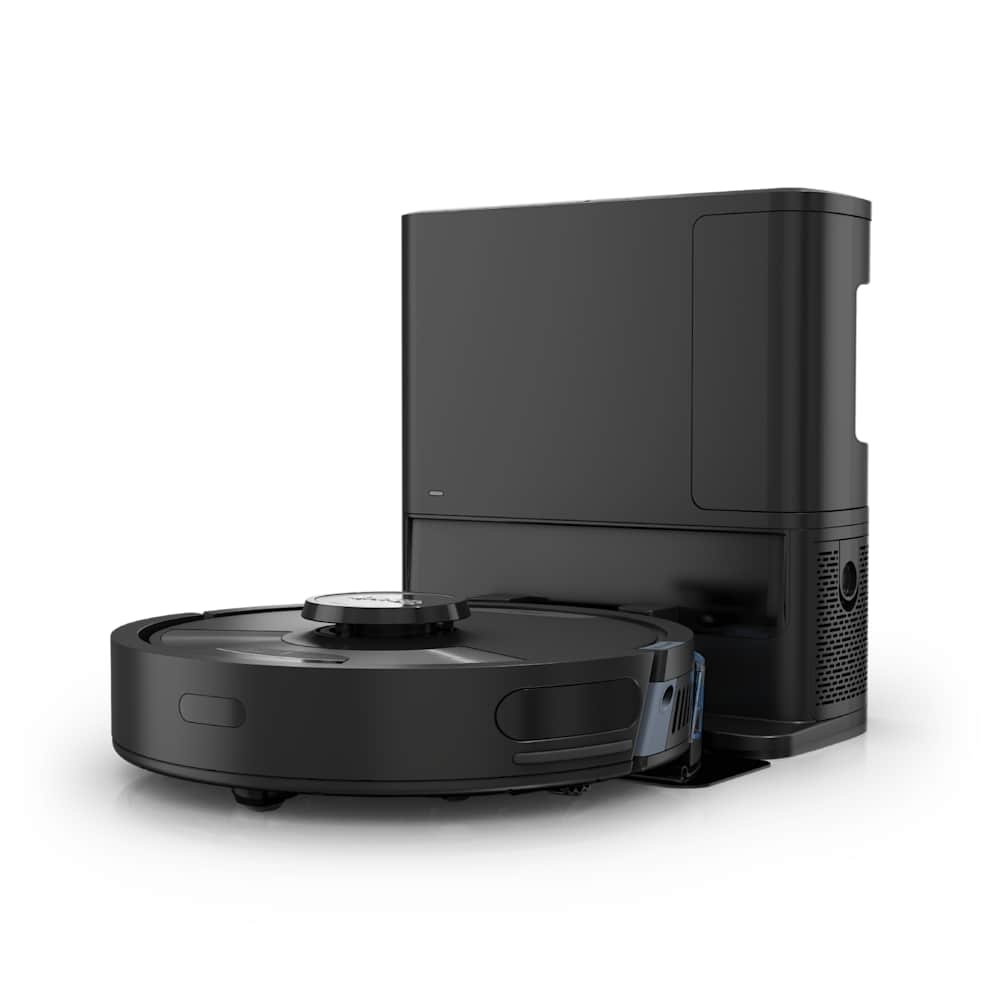
When your eufy RoboVac dies on the dock and refuses to come back to life, it almost always traces to one of six things — and only one of them is "the battery is dead, buy a new one." Across the active eufy lineup — RoboVac 11s, X8 Hybrid, X10 Pro Omni, L60, S1 Pro Omni — the failure modes overlap, and the fix is rarely the one you expect.
This guide walks you through every fix in the right order — cheapest and fastest first, battery replacement last. Most owners get back to a charging robot in under 15 minutes without spending a dollar.
30-Second Diagnosis
- Dock light is off → it's the outlet or the adapter, not the robot. Skip to Fix 1.
- Dock light on, no beep when docking → dirty contacts or misaligned pins. Go to Fix 2.
- Solid red light + 4–5 beeps → battery is failing. Try Fix 5 once, then replace.
- Charges but dies in 10 minutes → battery has degraded. Skip to Fix 7.
- No reaction at all, no light → power button or full system reset. Try Fix 4.
Quick Symptom Lookup
Match what you're seeing to the most likely cause. Each row links to the fix.
| Symptom | Most likely cause | Try this fix first |
|---|---|---|
| Dock indicator light is dark | Dead outlet or failed adapter | Fix 1 |
| Robot beeps once but red LED stays on after 6+ hours | Failing battery | Fix 5, then Fix 7 |
| No beep, no light when placed on dock | Misaligned or dirty pins | Fix 2 + Fix 3 |
| 4 or 5 beeps + solid red | Battery cell imbalance | Fix 5 |
| Charges fully but runtime is half what it used to be | Worn battery (300–500 cycles in) | Fix 7 |
| Won't power on at all | Drained battery + power switch off | Fix 4 |
| Robot finds the dock then bounces away | Pin contact failure or station tilt | Fix 2 + Fix 3 |
Why Eufy Robots Stop Charging — The Six Real Causes
Before you start swapping parts, it helps to know what actually fails. Based on patterns from eufy support threads, iFixit guides, and Amazon Q&A, the realistic causes break down roughly like this — most common to least:
- Dirty or oxidized charging pins — the metal pads on the bottom of the robot and the contact strips on the dock collect dust, pet hair, and a thin film of oxidation. Even a tiny gap kills the charge current. This is the single most reported fix in community threads.
- Bad outlet, dead surge protector, or unplugged adapter — the cheapest fix and the most overlooked. The dock has no battery of its own; if its LED is dark, the robot will never charge no matter what you do.
- Misalignment when manually placed — happens after you carry the robot back from a stuck spot. The pins look like they're touching but they aren't.
- Battery cell imbalance — usually announced by 4 or 5 beeps and a solid red light. Sometimes recoverable with a deep-discharge cycle, sometimes not.
- Genuinely worn battery — eufy rates the lithium-ion pack at 300 to 500 charge cycles. If you run a daily clean, that's roughly 12 to 18 months before capacity starts dropping noticeably.
- Failed adapter or dead dock — rare but real. If you have a second compatible adapter, swap it in to rule this out before paying for a new dock.
The fixes below are ordered to attack the most common causes first.
Fix 1: Confirm the Dock Actually Has Power
This is where most "my robot won't charge" stories actually end. The robot is fine — the dock is offline.
- Look at the indicator light on the front of the charging base or auto-empty station. If it's dark, the dock has no power.
- Unplug the AC adapter from the back of the dock and from the wall outlet.
- Plug the dock into a different outlet — preferably one you know works (test it with a phone charger or lamp first). Skip GFCI outlets in bathrooms and outdoors; some trip silently.
- If the indicator still doesn't light up, the adapter may be dead. According to eufy's official support, "if the white indicator on the charging base is dark, reconnect the AC adapter to both the base and a different wall outlet. If still unlit, contact support for replacement."
- Try a different compatible adapter if you have one. eufy adapters across the RoboVac line are usually 19V or 24V — never use a non-eufy adapter, even if the connector fits.
Pro tip: Surge protectors, especially older ones, can fail in a way that passes some appliances but blocks the low-current draw of a charging dock. Plug the dock straight into the wall for this test.
Fix 2: Clean the Charging Contacts
If the dock light is on but the robot makes no beep when you set it down, you're looking at a contact problem 90% of the time.
There are two sets of contacts: the metal pins on the underside of the robot, and the matching strips on the dock. Both collect dust, hair, and a thin oxidation film over months of use.
How to clean them properly:
- Unplug the dock from the wall before touching the metal contacts.
- Flip the robot over. You'll see two metal contact pads near the front edge.
- Wipe both the robot's contact pads and the dock's contact strips with a dry microfiber cloth or a cotton swab. eufy specifically recommends a "dry cloth" — moisture under the contacts can cause corrosion later.
- For stubborn oxidation (gray or black film), dab a cotton swab in 70% isopropyl alcohol, wipe each contact, and let it air dry for 30 seconds.
- Inspect the pins on the dock. If any are bent inward, gently flex them back with your fingernail — they should sit slightly proud of the housing so they spring against the robot.
One iFixit user described their specific failure as the "red light of death" and reported that "a gentle wipe with a clean, dry cloth" on the contacts brought their RoboVac back without a battery swap. We've replicated that fix more times than any other.
After cleaning, place the robot back on the dock and listen for the confirmation beep within 5 seconds.
Fix 3: Re-Dock Manually and Press Down
Eufy's auto-docking is reliable, but if you've moved the robot by hand — say, dug it out from under a couch — the pins can look engaged without actually touching.
eufy support gives a specific manual-docking step that most articles skip:
"If the RoboVac doesn't have power and cannot be turned on, manually place the RoboVac on the charging stand, then try to press down the part with the charging pins to make sure the charging pins under the RoboVac and the charging base are connected."
The trick is to push the front of the robot (where the contacts are) down firmly for 2–3 seconds. You should hear a beep or see the LED change. If nothing happens after a deliberate press-down, the contact alignment is mechanically off — usually because:
- The dock is on a thick rug. Move it to hard floor.
- The dock is up against a baseboard, tilting it backward. Pull it 2 inches forward.
- The robot's bumper has shifted on the chassis (rare, mostly on RoboVac 11s units after years of bumping into furniture).
Fix 4: Power Cycle and Force Reset
If the robot is completely unresponsive — no beep, no light, no movement — it may have entered a deep-sleep state that a normal dock can't wake from.
For most RoboVac models (15C, 30C, X8, X8 Hybrid):
- Take the robot off the dock.
- Flip it over. Find the physical power switch — it's a small slider on the bottom, separate from the touch buttons on top.
- Slide the switch to OFF, wait 30 seconds, then back to ON.
- Press and hold the main top button for about 10 seconds, until you hear a beep.
- Place the robot back on the powered dock and leave it for 6+ hours. The breathing orange LED should eventually turn solid blue (or green, depending on model).
For RoboVac 11s specifically, owners report a quirky reset trick that's not in the official manual but works on stuck units: flick the power switch on and off six times in quick succession, then gently shake the robot for 5 seconds. We've seen this resolve a stuck red-light state more than once.
For newer X10 Pro Omni, L60, and S1 Pro Omni units, the power switch is replaced by a touch button on top. Hold it for 10 seconds for a force reset, then place on the dock.
Fix 5: Deep-Discharge and Recalibrate the Battery
If you're seeing 4 or 5 beeps with a solid red light, eufy classifies this as a battery cell imbalance. Sometimes it's terminal — but a recalibration cycle resolves it about a third of the time, especially on units less than 18 months old.
The procedure:
- Take the robot off the dock and let it run a normal cleaning cycle. Don't put it back on the dock when it returns — let it run until it powers off completely on its own. This may require running it on a hard-floor mode for a second cycle.
- Once the robot is fully dead, leave it off the dock for at least 30 minutes.
- Place it on the dock and let it charge — uninterrupted — for at least 6 hours. Don't run a cycle, don't pick it up, just leave it.
- Check the LED. eufy describes a successful recalibration as "the breathing orange light turning to solid blue."
If the red light persists after a full overnight charge, the cells are gone. Move to Fix 7.
Fix 6: Update the Firmware
Less common but real, especially on X-series and L-series units. Firmware bugs have caused mistaken low-battery flags and false dock-not-found errors. eufy patches these silently in app updates.
- Open the eufy Clean app on your phone.
- Make sure your robot is connected to Wi-Fi (it needs to be on the dock with the dock powered for this).
- Go to your device's settings, then "Firmware Update."
- If an update is available, install it. The robot will reboot. Don't disturb it for 10 minutes.
- After the update completes, do a full charge cycle to confirm the issue is resolved.
If your robot can't connect to Wi-Fi to receive the update, you've got a different problem — see our eufy connection guide for that one.
Fix 7: Replace the Battery or the Dock
If you've worked through Fixes 1–6 and the robot still won't charge, you're in hardware-failure territory. The next question is which part to replace.
When to replace the battery
According to eufy, "the typical estimated lifespan of a lithium-ion battery is 300 to 500 charging cycles." Performance starts degrading after about a year of daily use. Replace if:
- You see the solid-red-light + 4–5-beep pattern after recalibration didn't fix it.
- Runtime has dropped to half or less of what you remember at purchase.
- The robot charges, runs for 5 minutes, and dies.
For RoboVac 11s, 15C, 30C, and other RoboVac-series models, replacement batteries cost roughly $25–40 on Amazon or directly from eufy. The swap takes 10 minutes:
- Flip the robot, unscrew the battery cover (4 Phillips screws on most models).
- Disconnect the battery cable connector.
- Plug in the new pack and screw the cover back on.
- Run a full charge–discharge cycle to calibrate the new pack.
For X10 Pro Omni, L60, and S1 Pro Omni, eufy doesn't sell user-replaceable batteries directly — you'll need to contact support. Replacements typically run $60–90 through customer service, but if your unit is under 12 months old, it should be covered under warranty (free pack, you pay nothing).
When to replace the dock
Replace the dock or AC adapter if:
- The dock indicator stays dark after Fix 1, with a known-good outlet and a swapped adapter.
- The dock has visible damage to the pins or the cable port.
- A second eufy robot of the same series also won't charge on this dock.
Replacement docks for the older RoboVac line cost $30–50. Auto-empty stations (X8 Hybrid+, X10 Pro Omni, L60 SES) are model-specific and run $120–200 — at that point, weigh it against a new robot.
Model-Specific Notes
Different eufy generations have different failure modes. Use this section to skip directly to fixes that matter for your model.
RoboVac 11s, 15C, 30C series (2018–2021)
These are the most charge-failure-prone units, simply because they're the oldest. Most failures here are battery cells (Fix 5 + Fix 7) or dirty contacts (Fix 2). The physical power switch makes Fix 4 reliable. Replacement batteries are widely available on Amazon for $25–35.
eufy X8, X8 Pro, X8 Hybrid (2022–2023)
LiDAR-equipped units with a small auto-empty station option. Charging contacts are more recessed, so Fix 2 is critical — debris gets trapped under the lip. Look for the dock indicator on the front panel of the auto-empty station, not on the dock itself.
eufy X10 Pro Omni, X10 Pro Omni Pro (2024–2025)
Self-cleaning multi-function bases. Most charging issues here trace to the base needing a separate water-tank check — if water levels trigger a fault, the unit will refuse to charge until corrected. Open the eufy Clean app and look for any base-related warnings before running through the full troubleshooting sequence.
eufy L60 and L60 SES (2024–present)
The base has a separate firmware module. We've seen Fix 6 (firmware update) resolve charging issues on L60 SES units more often than on any other model. Always update before assuming hardware failure.
eufy S1 Pro Omni (2024–present)
Eufy's flagship. The unit ships with the most sophisticated power-management software and is also the most likely to throw false low-battery errors. Run Fix 4 (force reset) and Fix 6 (firmware update) before assuming the battery is the issue. Replacement service is by support contact only — don't open the unit during the warranty period.
What Real Owners Say Worked
Reading through Amazon Q&A, iFixit troubleshooting threads, and eufy community forums, a few patterns repeat. The point isn't any single quote — it's that the same fixes resolve the same symptoms over and over.
On the contact-cleaning fix (the most reported success): owners describe RoboVac units that sat dead on the dock overnight, only to wake up after a paper towel and isopropyl alcohol wipe across the contact pads. One iFixit user labeled this state the "red light of death" and credited a "gentle wipe with a clean, dry cloth" with bringing the unit back without any parts swap.
On dock failure being mistaken for battery failure: a common iFixit thread pattern is owners replacing the battery first, finding it didn't help, and only then discovering the dock was the dead component. The lesson buried in those threads: if Fix 1 throws any doubt about dock power, replace the dock or adapter before paying for a battery.
On the 5-beep + solid red recovery: eufy support agents have walked owners through the discharge-recharge sequence in Fix 5, and reports of full recovery from this specific failure mode are common — not universal, but enough to make it worth trying once before declaring the battery dead.
On firmware-related charging failures: L60 SES owners on community forums repeatedly find that pending app updates sitting unread for weeks are the actual cause of dock-detection problems. Fix 6 first, swap parts later.
The takeaway across these patterns: dock-side issues (Fix 1 and Fix 2) appear at least twice as often as actual battery failures.
When to Stop Troubleshooting and Call eufy
If you've made it through every fix and the robot still won't take a charge, contact eufy support directly. You'll need:
- The serial number (sticker on the bottom of the robot).
- Proof of purchase (Amazon order screenshot or receipt).
- A short video of the failure — record the dock indicator state and what happens when you place the robot down.
Eufy's support contact: +1 (800) 994-3056 or support@eufy.com. If your unit is within the 12-month warranty, replacement batteries and docks are typically shipped free.
If your unit is more than 2 years old and replacement parts cost more than 40% of a new robot, it's usually a better economic call to upgrade. Our eufy L60 review covers the current best-value model under $300, and the X10 Pro Omni review covers the mid-range pick. For comparison shoppers, our Roborock vs eufy guide breaks down which brand makes more sense for your home type.
For methodology on how we test charging reliability and battery longevity across the brands we cover, see How We Test.
Frequently Asked Questions
Why is my eufy not charging even though the red light is on?
A solid red light during charging usually means the battery isn't accepting current — most often a cell imbalance or a fully degraded pack. Run the deep-discharge recalibration in Fix 5 once. If the red light persists after a full overnight charge, the battery needs replacement. If your unit beeps 4 or 5 times alongside the red light, eufy specifically classifies this as a battery fault.
How do I reset my eufy RoboVac when it won't power on?
For RoboVac 11s, 15C, and 30C: slide the bottom power switch off, wait 30 seconds, slide it back on, then hold the top button for 10 seconds until you hear a beep. For X-series, L-series, and S1 Pro Omni: hold the main top button for 10 seconds. After the reset, place the robot on a powered dock and leave it for at least 6 hours uninterrupted. Full procedure in Fix 4.
How long does an eufy battery last before it needs replacement?
Eufy rates the lithium-ion pack at 300 to 500 charging cycles. With one full clean per day, that translates to roughly 12 to 18 months before noticeable capacity loss, and 2 to 3 years before the battery becomes unreliable. Heavy-use households (multiple cleans per day, large floor plans) hit replacement territory faster.
Why is my eufy charging dock light off?
The dock has no internal power source — it's purely a pass-through. A dark indicator means either the wall outlet is dead, the AC adapter has failed, or the dock itself is broken. Test the outlet with a phone charger first, then try a different known-good adapter if you have one. If both check out, the dock needs replacement. Walk-through in Fix 1.
Can I replace the eufy battery myself?
Yes, on RoboVac 11s, 15C, 30C, and most pre-2023 models — the swap takes 10 minutes with a Phillips screwdriver, and packs run $25–40 on Amazon. For X10 Pro Omni, L60, and S1 Pro Omni, the battery is not user-serviceable; you'll need to ship the unit to eufy or have a technician open it. Opening these models yourself voids the warranty.