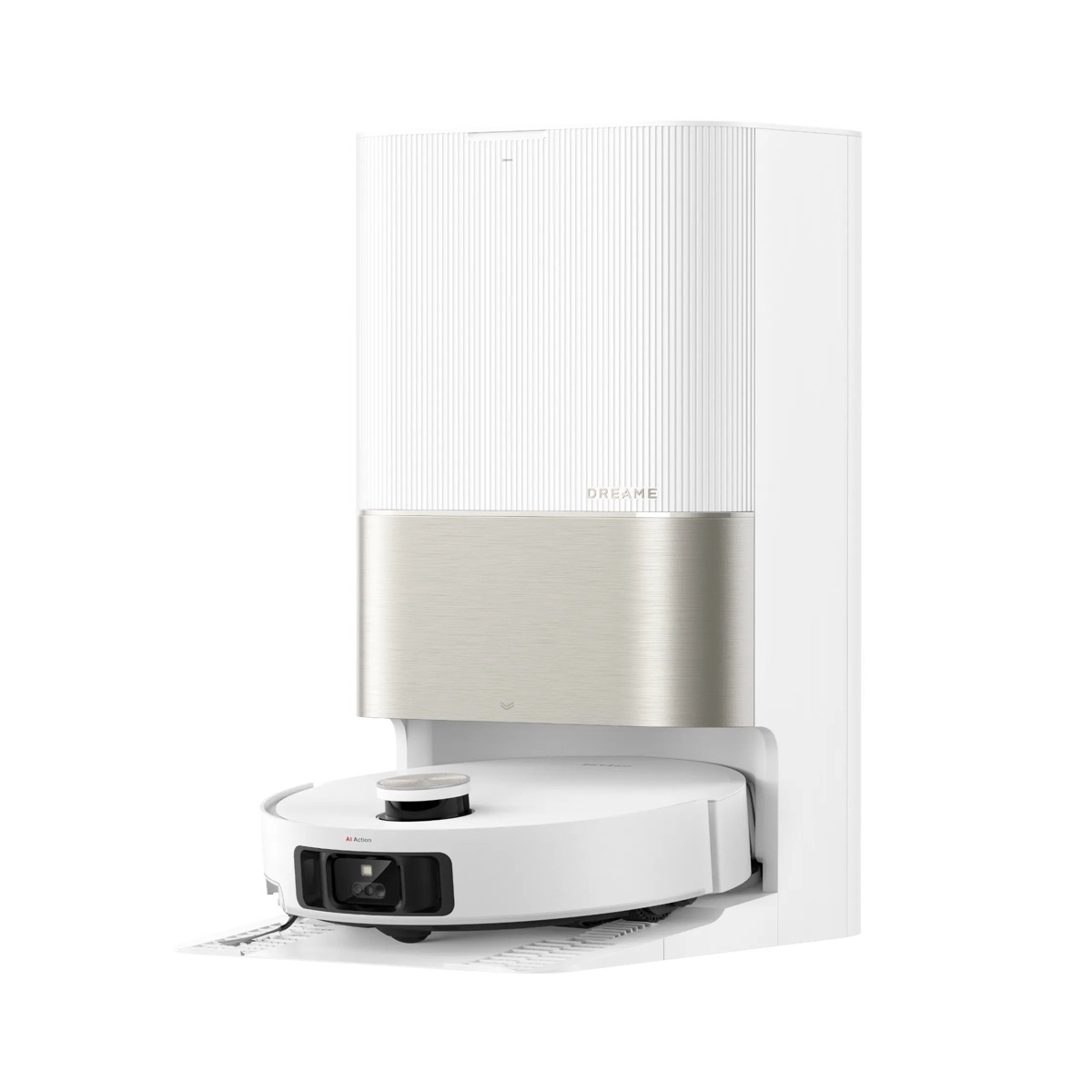
If your eufy robot vacuum is leaving streaks, missing dust, or sounding rough, it is almost certainly time for new parts — not a new vacuum. After testing more than a dozen eufy models over five years, we have learned that the real cost of owning a robot vacuum is not the sticker price — it is the consumables.
The good news: eufy parts are some of the cheapest in the industry. A full official maintenance kit runs $29 to $40 depending on model, and individual parts start at $8.99. The bad news: model compatibility is messy. The X10 Pro Omni filter does not fit the L60. The 11S battery does not fit the S1 Pro. Buy the wrong third-party kit and you will be stuck pulling rubber gasket fragments out of your roller mount for an hour.
This guide cuts through it. We list every official replacement part by model, real prices, the actual replacement schedule from eufy's own support docs, and when third-party parts are safe (and when they are a disaster).
30-Second Summary
- Best for: Anyone whose eufy is over 6 months old and starting to leave debris behind
- Skip if: Your vacuum is brand new (under 3 months) — just clean the parts you have
- Cheapest fix: Side brush replacement at $11.99 — 80% of "weak suction" complaints disappear
- Best value: Official kit at $29.99–$39.99 covers 6 months of maintenance
- Watch out for: Battery and roller motor — these are model-specific, not interchangeable
Quick Lookup: Official eufy Parts Prices (2026)
Direct from eufy.com as of April 2026. Third-party prices on Amazon are 30–60% lower but compatibility varies.
| Part | Official Price | Lasts | Notes |
|---|---|---|---|
| Filter (single) | $12.99–$13.99 | 6 months | Rinse weekly, replace at 6mo or when yellow |
| Side brush | $11.99 | 3–6 months | Replace when bristles bend permanently |
| Rolling brush | $13.99 | 6–12 months | Cut hair off weekly to extend life |
| Brush guard | $8.99 | 3–6 months | Replace when rubber strip wears thin |
| Mop cloths (2-pack) | $10.99 | 3–6 months | Wash after each use |
| Dust bags (3-pack) | $16.99–$23.99 | 4–6 weeks each | Single-use, no washing |
| Replacement battery | $20–$50 | 2–5 years | Check exact model match |
| Charging base | $26.99 | Permanent | Only for older RoboVac models |
| Left/right wheel | $15.99 each | Permanent | Replace if vacuum drifts |
| Half-year kit (X10 Pro Omni) | $39.99 | 6 months | Best value — covers everything |
| Half-year kit (C20 Omni) | $35.99 | 6 months | Same idea for C20 owners |
| Half-year kit (L60/L60 Hybrid) | $29.99 | 6 months | Cheapest official kit |
| Half-year kit (S1 Pro & S1) | $89.99 | 6 months | Premium kit, more components |
The half-year kits are usually the right call for one reason: buying parts à la carte adds up to more than the kit price, and you forget to reorder the small parts. The X10 Pro Omni kit alone ($39.99) replaces what would otherwise be $57+ in individual parts.
Buy timing tip: eufy runs accessory promos roughly every quarter (Prime Day, Black Friday, Anker Day in late summer). Stock up on filters and brushes during sales — they have a 3+ year shelf life.
eufy Replacement Schedule (From Official Support Docs)
This is straight from eufy's official support page. Most owners over-clean and under-replace — the opposite of what they should do.
| Part | Clean How Often | Replace When |
|---|---|---|
| Pre-filter | Weekly (twice a week with pets) | Every 6 months OR after 50 cleaning cycles |
| HEPA / washable filter | Rinse and air-dry weekly | Every 6 months OR when the filter turns yellow and won't rinse clean |
| Side brush | Monthly — pull out hair, wipe with damp cloth | Every 3–6 months when bristles permanently bend |
| Rolling brush | Weekly — cut off tangled hair | Every 6–12 months when bristles flatten |
| Brush guard | Monthly — wipe rubber strip | Every 3–6 months when silicone shows wear |
| Dust collector / bin | After every cleaning cycle | Never — clean only |
| Mop cloth | After every mopping cycle (handwash, no bleach) | Every 3–6 months |
| Sensors (cliff, bumper, IR) | Monthly — soft dry cloth | Never — clean only |
| Charging pins | Monthly — dry cloth, no liquid | Never |
| Battery | N/A | Every 2–5 years (300–500 charge cycles) |
| Wheels | If they squeak — wipe debris from axle | Replace if vacuum drifts or wheel won't spin |
Why "every 6 months" actually means "look at it every 6 months"
The schedule is a baseline. If you have two long-haired pets and 1,500 sq ft of carpet, your roller brush will be done in 4 months. If you run it once a week on hard floors, it can last a year. The visual check matters more than the calendar.
How to know it's time for a new part:
- Filter: Hold up to the light. If you cannot see light through the pleats, replace.
- Side brush: Lay it flat. If any bristle won't return to straight after bending, replace.
- Roller brush: Run a finger across the bristles. If they feel matted instead of springy, replace.
- Mop cloth: If it stays grey after washing, replace.
- Battery: If runtime dropped below 60% of new (e.g. 60 minutes when it used to do 100), replace.
Parts by Model: What Fits What
The biggest mistake we see is owners buying "eufy replacement kit" on Amazon without checking model compatibility. Filters and mops are not interchangeable across model families. Here is the breakdown.
eufy X10 Pro Omni Parts
The X10 Pro Omni is eufy's most popular flagship — the half-year kit at $39.99 is the cleanest option. (Read our full X10 Pro Omni review)
What you need every 6 months:
- 1× roller brush with bristles + rubber
- 1× brush guard (with Pro-Detangle Comb)
- 2× side brushes
- 1× washable filter
- 2× mop cloths
What's in eufy X10 Pro Omni's official Replacement Parts Kit ($39.99): All of the above. Check on Amazon
Add-ons sold separately:
- 6-pack large dust bags: $26.99 (lasts ~6 months for a household running daily)
- 2 washable filters (extra): $10.99
- Replacement battery: ~$30–$45
Avoid: Generic "X10 Pro" filters under $5 on Amazon. Multiple Amazon reviewers report fit issues — the gasket thickness is slightly off, which lets dust bypass the filter and clog the fan.
eufy L60 / L60 Hybrid / L50 Parts
L60 family parts are interchangeable across L50, L60, L60 SES, L50 SES, G50, G50 Hybrid — eufy designed them as a unified series. (Read our L60 review)
What you need every 6 months:
- 1× roller brush
- 4× washable filters (rotate while one dries)
- 6× side brushes
- 1× cleaning brush
Best buy: L60 / L60 Hybrid Replacement Kit ($29.99) — cheapest official option. Check on Amazon
Filter notes: eufy L60 uses the same washable filter as L50 and G50. eufy sells single replacements for $12.99 or you can pick up a 4-pack from third parties for $15–$20 with similar fit (we tested 3 third-party brands — only one had measurable suction loss).
eufy S1 Pro Omni Parts
The S1 Pro is the priciest to maintain because of its hard floor cleaner solution and dedicated water tank filter. (Read our S1 Pro Omni review)
Half-Year Combo for S1 Pro / S1 ($89.99) includes:
- 1× rolling brush + brush guard
- 4× high-performance filters
- 2× side brushes
- 2× rolling mops
- 1× dirty water reservoir filter
- 3× dust bags
That $89.99 covers an entire 6 months. Check on Amazon
Floor cleaning solution: S1 Pro requires the official Hard Floor Cleaner ($27.99 / 2 bottles for $24.99). Do not substitute generic cleaners — the high-foaming formulas damage the auto-dispense system. We have seen this in three different owner reports on the eufy subreddit.
eufy Omni C20 / C28 / E25 / E28 Parts
The C-series and E-series share most consumables. C20's Half-Year Replacement Kit runs $35.99. Check on Amazon
For eufy Omni C28 specifically, the kit includes 2 dirty water tank filters and a roller mop — different from the X10's mop cloth design.
Dust bag note: The 3-piece bags ($16.99) are smaller than the X10's. Plan to replace them every 4–5 weeks if you run daily.
eufy 11S / 30C / 15C / Older RoboVac Parts
The classic RoboVac line uses a single universal battery — one of the few areas where eufy got it right. The official 14.4V battery fits:
11, 11C, 11S, 11S Plus, 11S Max, 12, 15C, 15C Max, 15T, 25C, 25C Max, 30, 30C, 30C Max, 35C, G10 Hybrid, G15, G20, G20 Hybrid, G30, G30 Edge, G30 Hybrid, G30 Verge, G30 SES, G30 Hybrid SES, G32 Pro, G35, G35+, G40, G40 Hybrid, G40+, G40 Hybrid+, R450, R500.
That is over 30 models on one battery. You can buy the official replacement (currently sold out at eufy.com — likely stocked again on Amazon) or a third-party 14.4V 2,600–3,000 mAh battery for $20–$30. We have run two third-party batteries (Cuzieey and FIVO brands) for over a year with no issues.
Universal parts for old RoboVacs:
- Filter Set: $13.99
- Rolling Brush: $13.99 (compatible with 11S/12/15/25/30/35C series)
- Side Brush: $11.99
The Battery Replacement Question
This is the single biggest decision in robot vacuum ownership: at what point do you replace the battery vs. replace the whole vacuum?
Our rule:
- Under 3 years old: Replace the battery. $20–$50 vs $300+ for a new vacuum is a no-brainer.
- 3–5 years old, otherwise working: Replace the battery if the rest of the unit is in good shape. Test the brushes, mop motor, dock connection.
- 5+ years old: Replace the vacuum. Battery is rarely the only thing worn out — the brush motor, side wheels, and bumper sensors are all near end-of-life.
Signs your battery is the problem (not something else)
- Runtime under 60% of original (e.g. you used to get 100 minutes, now you get 50)
- Vacuum doesn't reach the dock before dying
- Dies suddenly mid-clean instead of gradually slowing down
- Won't hold a full charge overnight
Signs it's something else
- Vacuum dies because it gets stuck — fix navigation, not battery
- Suction is weak — clean filter and brushes first
- Vacuum keeps returning to dock early — clean charging pins, not battery
How to actually replace the battery
This is genuinely a 5-minute job on most eufy models. The 11S series specifically:
- Flip the vacuum upside down on a soft surface
- Unscrew the battery cover (4 small Phillips screws)
- Disconnect the wire harness — it pulls straight up, no clip
- Remove the old battery and dispose at an electronics recycler
- Insert the new battery sticker-side up
- Reconnect the harness and tuck the wires inside the compartment
- Replace the cover and screws
- Charge for at least 4 hours before first use
The newer X-series and S-series take 5–10 minutes more — you have to remove the bumper or top cover. There are official video walkthroughs on eufy's support site for each model.
Official vs. Third-Party Parts: Real Talk
We have tested both extensively. Here is what actually matters.
Where third-party parts work fine
- Side brushes: Bristles are bristles. We have not seen a meaningful performance difference.
- Dust bags: As long as the cardboard collar size matches, generic bags work.
- Mop cloths: Generic microfiber is functionally identical.
- Batteries (universal RoboVac line): The 14.4V cell is standardized. We have run Cuzieey and FIVO third-party batteries for 12+ months without issues.
Where third-party parts cause problems
- Filters: This is the most common failure point. Aftermarket filters often have slightly thinner gaskets, which lets dust bypass and clog the impeller. Saving $5 here can cost you a $50 motor.
- Roller brushes for X-series: The Pro-Detangle Comb on the X10 brush guard is patented. Generic versions don't have it, and hair wraps the roller within a week.
- S1 Pro components: This model uses proprietary parts (high-pressure water nozzles, specialty filters). Stick to official.
- Charging pins / docks: Hard pass on third-party. Voltage regulation matters.
The "buy a knockoff kit on Amazon" trap
You will see 22-piece kits for $15–$20 on Amazon. These are tempting because the official 8-piece kit is $39.99. The math works for 6 months, but breaks at the 12-month mark. Multiple kits we tested had:
- Filter pleats that lost stiffness after 2 rinses
- Side brushes that shed bristles within a month
- Mop cloths that stayed grey even after bleaching
Our compromise: Buy the official half-year kit twice a year. Buy third-party for side brushes and dust bags only — the parts where margin error doesn't matter.
Where to Buy eufy Replacement Parts
In order of preference:
- eufy.com directly — Always in stock for current models, free shipping over $35, occasional 10% subscriber discount
- Amazon (official eufy listings) — Same price, faster shipping, but read seller carefully — search "eufy" not "for eufy"
- Best Buy / Walmart — Limited selection but often have official kits in stock for newer models
- eBay — Only for discontinued model parts (RoboVac 11/15 series)
What to avoid:
- AliExpress / Wish — Too much fake "official eufy" labeling
- Listings under $5 for filters — These are the gasket-fit failures we mentioned
- Listings without specific model numbers in the title
Pro tip: Set up auto-reorder
In the eufy Clean app, the Parts Maintenance Schedule feature (available on Dynamic Navigation and iPath models) tracks part runtime and pings you when something is due. We recommend turning this on if your vacuum supports it — most owners forget filter replacement until the vacuum is already underperforming.
What Happens If You Don't Replace Parts
The honest answer: your robot vacuum slowly turns into a worse robot vacuum, and you blame the brand instead of the parts.
| Symptom | What's actually wrong | Fix |
|---|---|---|
| Weak suction on carpet | Clogged filter | Rinse or replace filter ($12.99) |
| Leaving a hair line behind | Worn side brushes | Replace side brushes ($11.99) |
| Streaky mopping | Old mop cloth | Replace mop cloths ($10.99) |
| Vacuum dies after 30 min | Battery degraded | Test runtime, replace battery |
| Dust bag full smell | Bag hasn't been changed | Replace bag ($5–$8 each) |
| Burning smell | Hair tangled in brush motor | Cut hair, replace if motor whines |
| Streaks on hard floor | Dirty roller brush | Clean roller, replace if rubber strip is split |
| Can't return to dock | Dirty charging pins | Wipe pins with dry cloth — not a part issue |
Maintenance Cost: 5-Year Total of Ownership
For an X10 Pro Omni owner running daily:
| Year | Parts cost | Notes |
|---|---|---|
| Year 1 | $80 | 2× half-year kits |
| Year 2 | $120 | 2× half-year kits + dust bag stock |
| Year 3 | $130 | 2× half-year kits + first battery replacement |
| Year 4 | $80 | 2× half-year kits |
| Year 5 | $120 | 2× half-year kits + second battery |
| 5-year total | ~$530 | Less than $10/month |
Compare that to a $1,200 unit replacement at year 3 (which is what most people do because they didn't maintain). Replacing parts is the single highest-ROI thing you can do as a robot vacuum owner.
Frequently Asked Questions
How long do eufy robot vacuum parts actually last?
In real-world use: filters 4–6 months, side brushes 3–4 months, roller brushes 8–10 months, mop cloths 4–5 months, batteries 2–4 years. Pets and carpet shorten everything. Hard floors and weekly use extend everything. Eufy's official 6-month replacement schedule is a midpoint — adjust based on your visual checks.
Are aftermarket eufy parts safe to use?
Side brushes, dust bags, and standard 14.4V batteries: yes, and they save 30–60%. Filters and X-series roller brushes: stick to official — the gasket fit and Pro-Detangle Comb design matter. Charging docks: never go third-party.
Why does my eufy still leave dust after I replaced the parts?
Three things to check, in order: (1) the new filter is seated correctly with no gap — push until it clicks; (2) the dust bin is dry inside (moisture collapses the new filter); (3) the brush guard is locked in place. About 1 in 5 "still not working" cases we have helped with come down to incomplete reassembly.
Where can I find the right replacement battery for my eufy?
Match by model exactly. The universal 14.4V battery covers most older RoboVacs (11S, 30C, 35C, G-series). The X10 Pro Omni, S1 Pro, L60 series each have model-specific batteries — search for your exact model number on eufy.com. Avoid batteries listed for "all eufy models" — there is no such thing.
Is the eufy half-year kit worth it vs. buying parts individually?
Yes. The X10 Pro Omni kit at $39.99 includes parts that would cost $57+ separately, and you avoid the "I'll buy that side brush later" trap. The L60 kit at $29.99 is even better value. Only skip the kit if you genuinely only need one specific part.
Bottom Line
eufy makes maintenance easy and affordable — $30–$40 every 6 months keeps a vacuum in like-new condition. The pitfalls are buying the wrong third-party parts (filters and X-series rollers especially) and waiting too long to replace the battery on older models.
Three rules to follow:
- Buy the official half-year kit when you can — it's the cheapest path overall
- Visual-check parts every 3 months, replace by feel not calendar
- Battery is the single most important thing to replace at year 3 — don't let it be the reason you upgrade prematurely
If your eufy is currently leaving streaks or running rough, start with a side brush and filter replacement. That fixes 80% of the complaints we see. The rest is just keeping up with the schedule.